


Have you ever seen a moire pattern screen? It’s one of those annoying issues you will encounter when you’re using an LED display. Instead of enjoying a flawless visual experience, you see an anomaly on your device.
If you want to resolve this technical issue on your own, it’s best to understand what it is and where it originates. Only by learning about this issue properly can you address a moiré pattern screen effectively.
What is a Moire Pattern?
 Moire Pattern Screen
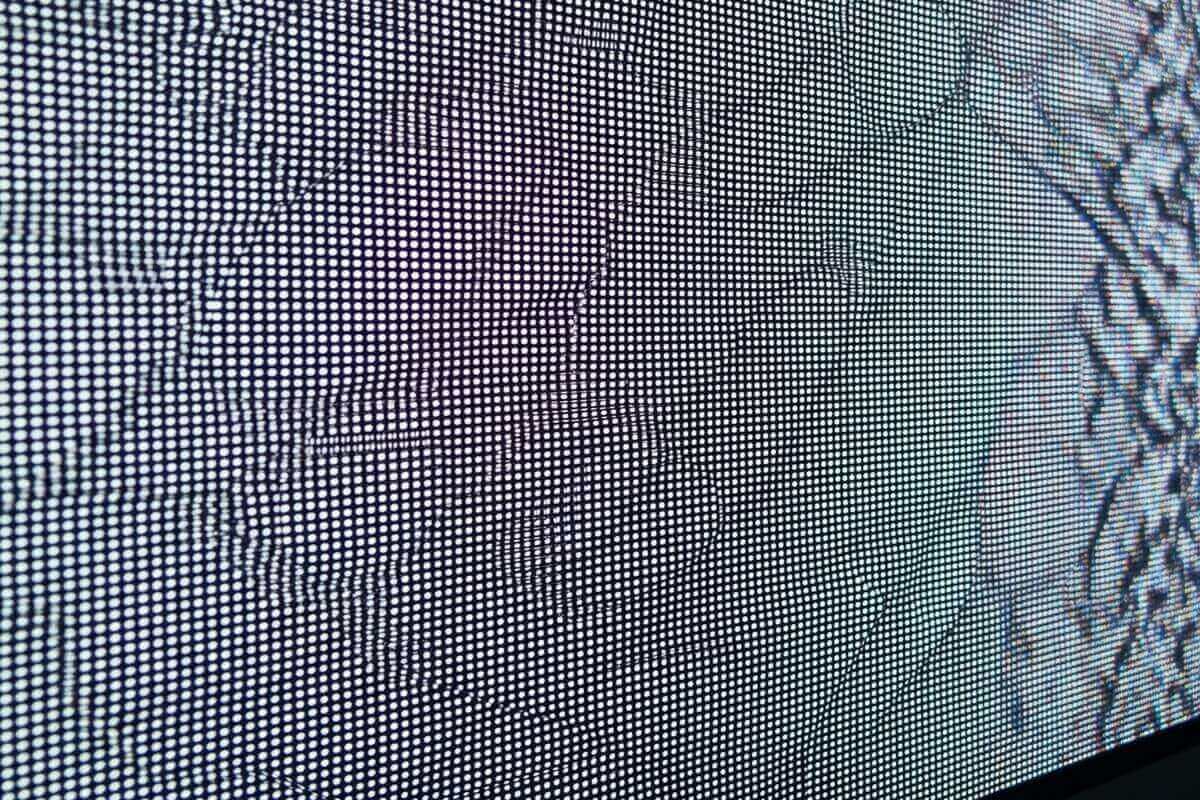
The moire effect LED screen results from the overlapping of two patterns with each other. The repetitive overlapping patterns interfere with the original images displayed on the screen. This reduces the image quality on screen and the audience’s viewing experience.
The word comes from the French word “moire,” which literally means “rippled appearance.” This describes the visual effects that appear on the screen when patterns overlap and create interference. The visuals may appear in the following forms:
- Shifting colors
- Strange mesh patterns
- Wave-like ripples
What Produces A Moire Pattern Screen
To avoid this issue, learn the possible causes of the moire pattern screens display. With an LED screen made of thousands and millions of diodes in a grid form, it’s not unusual to encounter errors. And the moire effect is one of those.
This visual effect can be noticeable at specific distances and angles. It can also be seen more when you’re using a lower pixel pitch screen.
The moire pattern screen occurs when there’s visual interference. Different factors may contribute to producing this effect, including the following:
Low Pixel Density and Resolution
Screens with low-resolution features have visibly larger pixels compared to high-resolution LED displays. Because of this composition, it’s difficult to show intricate image details on the screen. And when the screen is forced to display these images, it can’t render them properly, resulting in moire patterns.
Incorrect Scaling & Pixel Misalignment
Scaling refers to content resizing. When you resize your content without considering pixel alignment, the pixels will mismatch. This creates moire effects on your screen.
When pixels are not perfectly positioned, they create visual interference on the screen. Instead of the original visuals, distorted images and moire patterns will be on display.
Poor Anti-aliasing
Anti-aliasing refers to a computer graphics technique that helps smooth jagged parts of text and images. This comes in the form of staircase-like edges. The technique aims to make images more realistic by blending pixel colors and creating smoother textures.
The downside of anti-aliasing is that when it’s not done properly, it can lead to a moire pattern on the screen instead. Poor anti-aliasing increases the chances of moire distortion on your display, lowering its overall image quality.
Complex Overlapping Patterns
A moire pattern screen can also result from the use of complex patterns. When you show complex and repetitive patterns on the screen, they can overlap and interfere with the pixel grids. They create interferences, which then lead to visible moire patterns.
Low Refresh Rate
A screen with a low refresh rate often experiences flickers and motion blurs. When it displays fast-moving content, such as games and fast-paced videos, it often leads to errors and lag on the screen. This leads to the formation of image distortion and moire effects.
Incompatible Drivers or Software
Using incompatible drivers or software will interfere with the decoding of the digital content. If decoding is not properly done, it can lead to scaling and resolution errors. Both of which can create a moire distortion.
Low Quality Cables
When you have a moire pattern screen, make sure to check your video cables. Using low-quality video cables distorts signal transmission. This increases the risk of creating moire patterns on the screen.
Physical Damage
Screens with cracks and scratches also cause moire effects. The light diffraction from these damages creates unwanted patterns and moiré distortion.
Viewing Distance
Pixel pattern frequency is influenced by the viewing distance. When you view the LED screen closer or further than what’s optimal, it can create a moire pattern on the screen.
External Light Reflections
Light reflection causes disruption in screen operations. External light sources (e.g. sunlight) causes reflection on the screen, interfering with the display’s pixel layout. This disruption produces moire-like images.
Electronic Interference
Electronic devices produce electromagnetic waves. Because of this, it disrupts the pixel signals of an LED screen. The disruption leads to the creation of moire effects on the display.
Incorrect Color Calibration
Proper color calibration refers to setting the right amount of brightness, saturation, and color sharpness. When your screen is not properly color calibrated, it can produce moire effects. This is especially true when the screen displays exaggerated and detailed patterns and graphics.
Content Optimization Issues
Content may also be a contributing factor to a moire pattern screen. When the content is not optimized for your display’s resolution, the pixels will mismatch. It will then result in the appearance of moire effects on your screen.
How A Moire Pattern Screen Looks on Different LED Displays
A moire pattern screen may look different depending on the display you’re using. And some displays are more susceptible to moire effects compared to others. Here are the different LED screens and their respective risks of moire effect.
Direct View LED Screen
Risk of Moire Effect: High
With high pixel density, the DVLED (Direct View LED Display) is more susceptible to the moire effect. Typically installed in large venues both indoors and outdoors, DVLEDs have high brightness, saturation, and contrast levels. This feature helps reduce the risk when the screen is viewed from a distance.
SMD LED Screen
Risk of Moire Effect: Low to Medium
SMD LED screens have low to medium susceptibility to moire distortion because they have medium pixel density. While the risk is lower than that of DVLED, it is still susceptible.
Installed in most events indoors, the display may lead to a moire pattern screen if it has the following:
- Very small pixel pitch
- Very close viewing distance
COB LED Screen
Risk of Moire Effect: Moderate
COB (Chip-on-board) LED screens have medium to high pixel density, which increases the chance of developing moire effects. It also depends on the screen’s pixel pitch.
Some of these displays are installed indoors, but most of them are installed outdoors. They have high brightness levels and are incredibly durable, making them perfect for outdoor installation. When viewed from afar outdoors, the moire effect looks more subtle and inconspicuous.
Mini LED Screen
Risk of Moire Effect: Higher
Mini LED screens have very high pixel density and very small LEDs, which makes them very susceptible to the moire effect. The screens are typically used for televisions and indoor displays.
OLED Screen
Risk of Moire Effect: Low
Organic Light-emitting Diode (OLED) screens carry low to medium pixel density, guaranteeing low risk for moire effect. OLED screens are typically found in smartphones, televisions, and high-end indoor displays.
OLED displays have organic compounds that naturally soften the edges of pixels. This makes it possible to reduce the device’s susceptibility to moire effects. These features of OLEDs also help lessen the incidence of image distortion:
- High contrast
- Wide viewing angles
- Deep blacks
Effects of Moire Patterns on LED Displays
 Moire Pattern Screen1
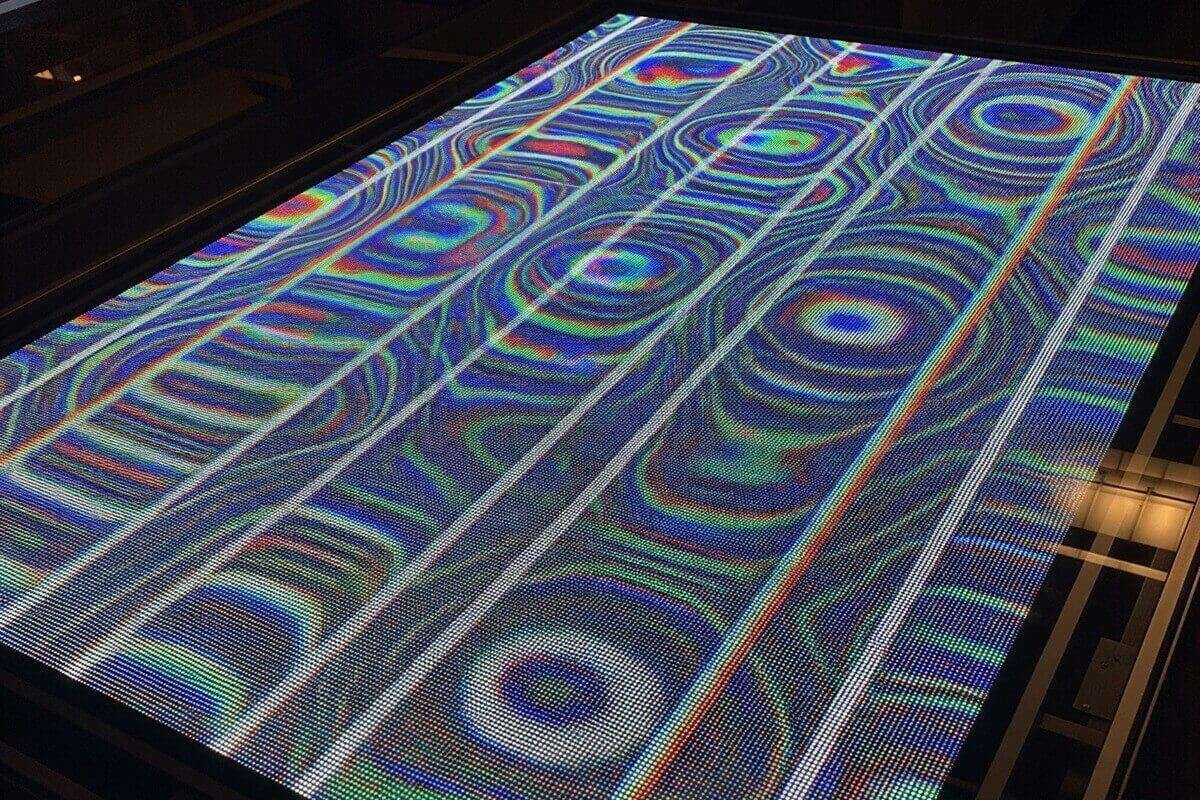
When your screen has moire patterns, will they impact the device’s operation? Definitely! The effects of moire distortion can apply to text, images, and videos you show on your screen. And these are the specific effects to expect from this visual interference.
Poor Image Clarity and Distortion
A moire pattern screen often showcases poor image clarity. The visuals are distorted and look fuzzy or blurry. As a result, the display’s sharpness is lowered, and the visual detail is compromised, leading to poor image clarity.
Screen Ghosting and Flickering
Moire effects can also come with constant flickering of the screen. Sometimes, trailing effects or “ghosting” are also seen on the device, easily distracting viewers. It’s especially noticeable when displaying fast-paced videos.
Jagged Text Edges and Distortion
Moire patterns can come in the form of distorted text with jagged edges. On the screen, the text becomes unreadable because it’s breaking apart. This hinders the goal of understanding what’s shown on the screen, especially with text.
Dull Visuals with Reduced Contrast
LED screens became popular in many industries because of their colorful visuals. With moire patterns on the screen, the visuals look dull. Whatever use you have for the screen, it will look less appealing and impactful because of the reduced color contrast.
Rainbow Patterns on Screen
Some moire patterns look rainbow-like. While others may find the rainbow image stunning, having it on your screen when not needed can just be annoying. The rainbow pattern on the display will simply appear as a distortion that can also be visually confusing to viewers.
Jumping Frames and Motion Errors
Moire effects can cause motion errors, such as frame skipping and stuttering slides. This is even more noticeable when you’re displaying fast-moving videos on the screen.
Visual Conflicts and Clutter
Moire effects are simply visual conflicts that clutter the screen. The pattern’s overlapping image details and textures can look chaotic. This easily lowers the quality of the content on the display.
Why You Need to Fix A Moire Pattern Screen
Moire distortion is a screen problem that you need to resolve if you want to make the most out of your LED display. If not, these are some of the possible disadvantages you’ll experience with a moire pattern screen.
Viewer Discomfort
Moire patterns on the screen cause discomfort to your viewers. The patterns can be a bit dizzying and may lead to your viewing opting out of looking at your screen.
Increased Viewer Distraction & Reduced Engagement
If you want your viewers to focus on the content on your screen, moire patterns can be incredibly distracting. Instead of being able to focus on your content, the viewers will likely pay more attention to the patterns.
Audience engagement will also drop significantly if there are moire patterns on the screen. The distracting patterns will catch your viewers’ attention, and they won’t be able to engage actively.
Poor User Experience
In general, moire patterns on your screen can be frustrating and annoying to the audience. An awful viewing experience can have more catastrophic effects in the end.
Possible Misinterpretations in Content
Showing your content on an LED screen means you have a message to your audience. When your screen has moire patterns displayed, the content will look distorted, which can lead to misinterpretations.
Negative Reputation and Lower Credibility
If you’re running a business and using an LED screen to market your brand, having moire patterns on the display can negatively affect your image and, in the process, your credibility. It will also affect your success in possible brand sponsorship.
How To Avoid Having A Moire Pattern Screen
To reduce the chances of having a moire pattern screen, there are some things you can do. Check out the strategies to apply during content creation and post-production.
During Production: When Creating the Content
While creating your content, you can do the following:
- Adjust the angle of your camera by slightly shifting or tilting the device to help the overlapping pixel and sensor grids.
- Lower your camera’s shutter speed to align with the screen’s refresh rate and avoid possible issues.
- Smooth possible visual interference by changing the focal length while shooting.
- Make the moire pattern screen less visible by slightly defocusing on the subject of your camera.
- Adjust your camera’s angle, focus, and zoom, and create multiple shots to create several options for the final output.
Post-Production: When Editing the Content
Moire patterns do not appear when editing your content; however, you can do something to reduce their possible appearance. Here are some of the simple tips to include in your post-production tasks.
- Use moire removal filters, such as Adobe Photoshop, while editing the content.
- Use Adobe Photoshop’s Free Transform tool to adjust your content.
- Minimize distorted patterns on your content through frequency separation.
Conclusion
Dealing with a moire pattern screen requires a better understanding of how it’s formed and what you can do about it. Seeing moire patterns on your display can be disappointing, considering it can affect how well you can use your device successfully.
Avoid moire patterns on your screen by choosing the display that’s not susceptible to this visual interference. You can also work on your content to reduce the possibility of having moire patterns on your screen.

