


With a display to wield, you will need to learn how to fix LED screens. Learning how to fix LED screen problems without the help of an expert sounds difficult. Is it actually doable to make the LED screen repairs yourself, or should you just hire someone to do it for you? It can definitely be done; however, for beginners, it might not be as easy.
The key to understanding how to fix LED screens is proper research. Learn everything you can about the device and thoroughly master how the device works.
Getting To Know LED Screen Components

Tasked with the important responsibility of sharing information and messages, LED screens operate efficiently with the help of all their components working together. When something’s not working right, it affects the entire operation of the display, causing quality changes and malfunctions. Worse, some issues cause the device to completely stop working.
The first step in learning how to fix LED screen is to identify all its components and know them like the back of your hand. These are some of the important components you need to know about.
LED Module
Considered as the heart of the operations, LED modules contain the screen surface, where the visuals are shown.
Receiving Card
This component serves as the middleman between the LED controller and LED module. The sending card directs the data information from the LED controller. The receiving card gets the data and redirects it to the modules, where the data is translated and used to produce the content on screen.
Control Circuit or Driver IC
This is another component to identify when learning how to fix LED screens. It manages the screen’s specifications, including the following:
- Brightness
- Pixel grayscale
- Refresh rate
A well-functioning control circuit guarantees that you enjoy a seamless and flicker-free viewing experience. It also takes out the need to learn how to fix LED screen.
Power Supply
This important LED screen component takes care of the electricity that runs through the entire ensemble, from the outlet towards the control system and the individual LED modules.
Signal Distribution Board
This component serves as the middleman between the power supply/LED modules and the receiving card. It is also known as the hub board. Once the receiver card gets the data, the command is delivered to the other components.
Cabinet Frame
This metal structure refers to the component that protects the entire ensemble and brings all LED modules into one unit. It also facilitates easier stacking and mounting for installation.
Power and Signal Cables
These wires connect all the components together. Power wires carry electricity throughout the entire ensemble, while the other type of cable guarantees the transmission of a signal between LED modules and other external devices.
Locking System and Fasteners
These tools help LED screen cabinets connect to each other more securely. They ensure that its modular design is fully maximized for a seamless look. Bolts and other quick-lock systems may be used.
Ventilation Slots and Cooling Fans
You need cooling fans and ventilation slots to avoid the possibility of your LED screen ensemble overheating. Avoiding overheating guarantees stable operation and a longer device lifespan.
Mounting Points and Handles
For installation, handles and mounting accessories may be used for better stability. Most providers offer them in rental LED displays. However, they are commonly used for transport and installation.
How To Fix LED Screen: Common Signs of Display Damage
One way to know that your LED display needs repairing is to look for the common signs of screen damage. Technically, you’d see one or some of these damage signs before you need to learn how to fix LED screens. These signs will annoy you until you have no other choice but to do something about them.
When you encounter at least one of these signs, the ideal thing to do is to contact an expert to conduct an assessment and repairs on your device. They are the ones who know how to fix LED screens like breathing. However, if you have a tight budget, you can also spend time learning about it.
To start this journey, being capable of identifying the common signs of display damage is a good starting point. These are the ones worth identifying:
Bars and Lines
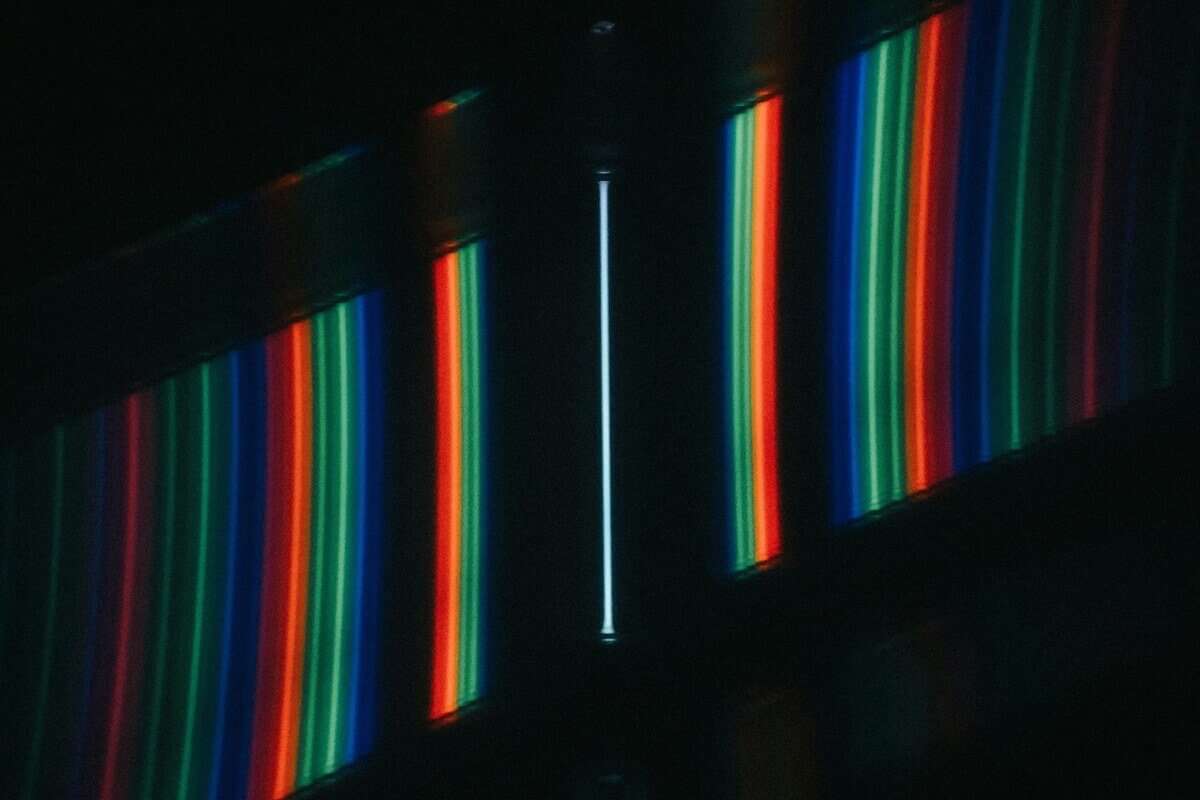 Image Credit: Unsplash.
Bars and lines on the LED screen surface signify a possible device issue. They can come from every direction, size, and color, changing the way your LED screen looks. Some of the possible causes are the following:
- Physically-shattered screen – May happen by putting too much pressure on the screen or through impact
- Loose connectors – May be due to the use of bad cables
- Malfunctioning graphics cards – May happen because of using damaged cards
Black Screen/No Image
Another sign of an LED screen issue is when the screen turns black and no image can be seen on the display. A black screen can drive you into panic and make you want to know how to fix LED screens. This issue can be due to the following:
- Malfunctioning controller
- Power failure
- Signal loss
Burn-in or Ghosting
When you turn your screen off, is there an instance when the image seems to remain? This is what you call burn-in, since it seems like the image has been burned into the display. You can see it in all types of screens, including the following:
- CRT screens
- LCD displays
- Digital signage
- Advertising boards
- Video walls
Burn-in refers to when a ghostly image appears on the screen, permanently causing discoloration in the device. This issue happens with older screen models, such as CRT displays. For more advanced devices like LCD screens, image persistence is much more prominent. Image persistence pertains to a similar issue with burn-in, but in a temporary way.
Burn-in and image persistence occur when a specific image is displayed on the screen for too long. Some of the factors that contribute to burn-in are the following:
- Intense lighting conditions
- Extreme temperature
- Substandard power supply
Checking for burn-in is part of learning how to fix LED screen. It involves using a single color in full-screen. White and gray work best to check if the image has been burned into the display. To avoid them, here are some tips to follow:
- Use static images for a shorter screen time
- Play screensavers when the screen’s on standby
- Display more dynamic content
- Use lower brightness levels
Black Spot on Your Screen
Do you see a black spot on your display? It’s time to learn how to fix black spot on LED screen. If it doesn’t disappear on the screen even when it’s turned off, chances are there are damaged pixels on your LED modules. A black spot on your screen instantly lowers the quality of the viewing experience it delivers.
This issue often points to damaged pixels, affecting the colors that can be displayed on the screen. These are the two causes of a black spot on the display:
- Dead pixels – These issues come from dead transistors in the LED module. This is permanent damage that requires pixel or total screen replacement.
- Stuck pixels – These result in pixels getting stuck in one color, such as red, green, or blue.
Discoloration
If there’s a discoloration in your display, knowing how to fix LED screens can help you save a lot of money. When there’s a noticeable color temperature change, the image gets distorted. Discoloration comes in the form of strange colors and color blocks that don’t fit what the content needs to show. It can be caused by one of the following:
- Manufacturing error
- Exposure to extreme temperatures
- Exposure to sunlight for a long time
- Possible circuit damage
- Signal processing error
Flickering Screens

Is your screen flickering, or is it just a trick of your eyes? Your screen may be flickering and actually in need of repairs. It’s best to learn how to fix LED screens with this problem.
Screen flickering comes in the form of swift flashing and blinking lights. It can be annoying and difficult on the eyes to the point that it can cause irritation and health problems, such as headaches and epilepsy.
These problems cause screens to flicker:
- Faulty power cables
- Unstable power supply
- Faulty power source
- Software error due to bad configuration
- Malfunctioning graphics card
Lags and Delays
When you notice slow updates and dragging transitions in the content, it may mean that there’s something wrong with your device. You might need to learn how to fix LED screens. Bear in mind that when there are lags and delays, some of the possible causes include the following:
- Data transmission issue
- Software bugs
- System load error
Partial Display Loss
Part of your LED screen either does not show the appropriate image or any light at all. It can be a huge inconvenience if your business operations involve using this LED display. Some of the possible causes for this issue include the following:
- Damaged LED module
- Faulty receiving card
- Poor cable connection
Not Responding to Commands
When your device is not responding to any command, whether it’s a change of content or specific settings, there might be a problem with your screen. When this happens, these are some of the possible causes:
- Communication failure
- Control card problem
- Software crash
Software Failures
This refers to when your software is acting up and not working properly, which can come in the software not launching or suddenly freezing and crashing. Your content may not properly load because of this issue, so make sure that you learn how to fix LED screen.
Troubleshooting Your LED Screen

To identify the problem of your LED display, troubleshooting is still the best way to go. While focusing on the signs can be a way to say that there’s a problem you need to resolve, it doesn’t accurately identify the cause of the issue.
Troubleshooting is part of the journey in learning how to fix LED screens. Here are simple steps you can follow:
1. Check through All Your Cable Connections
Inspect all your cables and wiring and make sure they are properly connected and in top condition. Check them out one by one:
- DVI cable
- Network cables
- Main control card connections
- Serial port cables
Look at the product diagram in your LED screen manufacturer’s manual and check if each cable is connected to the right port. If they are not, follow the guide and position them correctly. And if you find faulty cables, replace them.
2. Inspect the Power Cycle
How to fix LED screen? Check the power system of your LED screen. First, check on the following:
- Power requirements: voltage and current specs
- Power sufficiency
Look at the load requirements of your LED display. Match it with the voltage of your power supply. If it’s not, make the necessary adjustments. A mismatch can lead to either a power insufficiency or overload, which comes in the form of screen flickers and a white screen.
Turn the entire ensemble off and unplug it. After several minutes, plug it in and turn the screen back on.
3. Display Settings Adjustments
Pay attention to the settings of your display and make sure you configure them. Specifically, look into the brightness and resolutions you’ve set and make sure they align with your content.
4. Assess for Physical Damage
Another reason for learning how to fix LED screens is the possibility of permanent damage. Check the actual structure of your LED screen. Start with the screen’s surface and LED cabinets. Pay attention to dents and cracks on the screen.
5. Guarantee Regular Software Updates
Keep your screen’s software updated to make sure that it’s not the cause of any issue you might be experiencing with your LED screen. You also have the option to reinstall the software if needed. After which, check the sending card’s green LED indicator. It it’s blinking, it’s a good sign.
6. Evaluate for Overheating
Check your device for possible overheating. When you learn about how to fix LED screen, you’ll notice that overheating is one of the common causes for issues and malfunctions. Just take a peek at your device’s ventilation and make sure your cooling fans are working.
7. Inspect Graphics Card Settings
Go to the settings of your graphics card on your computer. Double-check its configuration by matching it with the manufacturer’s instructions on the setup. You’ll find it in the electronic manual or the tangible guide included in the box when you bought it.
8. Inspect Sending and Receiving Card Status
Check the status of your sending and receiving cards through their indicator lights. They should be blinking, which signifies that they are properly functioning. If it doesn’t, it means that there’s something wrong, and it could be one of the following:
- DVI cable not working
- Faulty sending card
- The graphics card is not working
- Mismatch cable to board specifications
How To Fix LED Screen: Causes and Solutions
 Image Credit: ChatGPT.
If you want to know how to fix LED screens based on the components that are not working, you can start by identifying symptoms connected to them. It would be a lot easier once you know which component is not working. Here’s a guide you can check out:
LED Module Malfunction
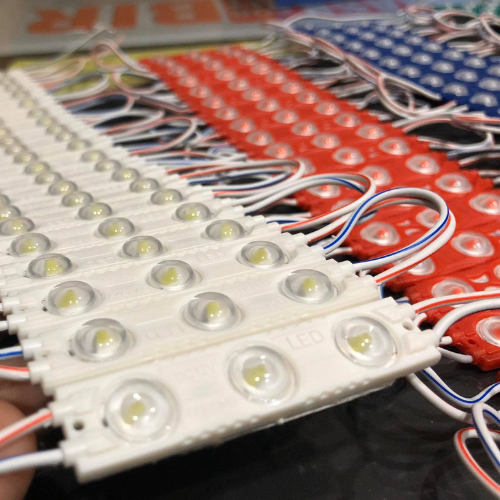
When your LED module is not functioning properly, you’ll notice various signs, including black spots and color distortions. LED module malfunction comes in the following form:
Entire LED Display Not Lighting Up
When the entire LED screen is not lighting up or showing anything, these are the possible causes and solutions to take:
- Wires and connections – Inspect the different connections, as well as the main power supply and signal cabling, for signs of damage
- Malfunctioning card – Replace the card with a new one
- Content issue – Check the content file connected to the screen and make sure you’re using the appropriate source signal
One LED Cabinet Staying Dark
How to fix LED screen with one cabinet staying dark? The key is to pinpoint the exact cause of the issue and apply the solution to it. These are the causes and solutions to this problem:
- Malfunctioning receiving card – Replace your receiving card with a new one
- Faulty signal wire – Replace the cable with a functioning one
- Defective hub card – Swap the hub card with a working one
Multiple Cabinets Not Lighting Up
When more than one cabinet is not lighting up, these are the possible causes and their respective solutions:
- Loose or broken network cable – Reconnect the cable, and if that still doesn’t work, get a new one and replace it
- Power supply not working – Replace the power supply and check if it solves the problem
LED Module Columns Not Lighting Up
Do you know how to fix LED screen when one or multiple columns are not lighting up? There are two possible causes for such an issue, including the following (and the corresponding solutions):
- IC Driver failure – Make sure it is appropriately connected, and if that still doesn’t work, get a new IC driver
- Malfunctioning pin on the screen – Inspect for signs of damage and short circuits on the affected columns in the display
LED Module Row Not Lighting Up
If a row or multiple rows on the LED module are not lighting up, these are the common causes responsible for them:
- Hub card not working – Replace the defective hub card with a working one
- Faulty LED module – Get a new LED module and swap it
- Defective receiving card – Take out the defective receiving card and get a new one
Missing Color Blocks
How to fix LED screen with missing color blocks displayed? An LED screen with missing color blocks can be due to one of the following:
- Loose or broken signal or power lines – Check your signal and power connections if they are broken or loose, and correct that. If that doesn’t work, change the broken wires
- Short-circuited lamp beads – Replace the affected lamp beads with a new one
- Faulty LED module – Get a completely new LED module
Faulty Lamp Beads

A lamp bead or a light-emitting diode (LED) is comprised of four colored lamp pins, which include blue, green, red, and white (positive). When one lamp pin acts up, the entire display is compromised. With so many lamp beads used in an LED screen, it’s not surprising that one or several lamp beads act up and do not work. How to fix LED screens with faulty lamp beads?
Start with troubleshooting your lamp beads to find out which ones are defective. Here are ways to do it:
- Use a multimeter – This refers to a device that can detect multiple electrical properties, such as current, resistance, and voltage. It can be used to assess the performance of lamp beads.
- Connect positive and negative poles to probes – Link the positive and negative poles to their corresponding probes, which are black and red, respectively
- Through LED lights – Look through individual LED lamps and see if there are lights that are not turning on, which may have an issue
These are some of the issues you may encounter with your LED screen that’s connected to lamp beads:
The entire LED is not lighting up
When the entire LED is not functioning, here are the possible reasons for it and the corresponding solutions:
- The white lamp bead is not connected properly – Solder the white lamp bead for better anchoring
- The red, green, and blue lamp beads are not connected properly – Solder the red, green, and blue lamp beads for better connection
One lamp bead or color is missing
How to fix LED screen when only one lamp bead is missing? You can solve the issue by repairing the affected lamp bead. Solder it to connect it better, or have someone do it for you.
Two or more lamp beads or colors are missing
If you see that two colors are missing on the LED module, they will be problematic and affect the entire ensemble. These are the possible reasons for this issue:
- Faulty driver IC – Get a new driver IC and replace the defective one
- Lamp beads not properly connected – Solder the affected lamp beads into the board for better connection, or you can also use a clamp to keep the bead on the board
Power Supply and System Malfunction
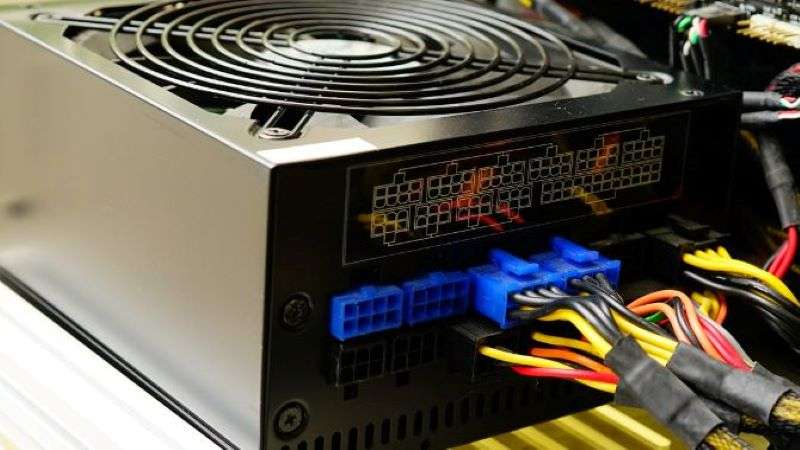
Your LED screen is responsible for converting AC to DC and pushing power to the components of the ensemble, such as the LED modules and control cards. When there’s a malfunction in the power supply, part of the screen or the entire cabinet doesn’t light up and goes dark. This may be due to one of the following:
- Overvoltage – Adjust your power supply to meet the load requirements of your LED screen
- Burned capacitors – Change with new capacitors
- Aging components – Replace the aging components
- Poor grounding – Replace your current wire and use copper wire instead. Make the connection short and direct to the LED modules
Hub Board Malfunction
How to fix LED screen when your hub board malfunctions? If your hub board stops working or your screen shows signs of flickering and freezing because of it, these are the specifics of the causes:
- Bad connection between receiving card and LED modules – Meticulously tighten loose connections between the two components
- Broken circuits – Repair or replace the affected circuits
- Worn-out connectors – Replace the worn-out connectors with new ones
Receiving Card Malfunction

When there’s a receiving card failure, the content shown on the screen will be affected. Content may not be displayed, or the screen may flicker. And the causes for these issues are the following:
- Damaged wirings
- Firmware errors
- Incorrect configuration
- Static electric shock
Black Screen
Do you know how to fix LED screen that shows completely nothing? For a black screen, it may be due to several causes all at once or one of these problems:
- Power supply failure or faulty power connection – If the power supply and cables are not working properly, replace them with new and better ones
- Signal transmission failures – Check all signal wires and connections, and tighten loose cables when needed
- The sending box has zero brightness – Set your brightness level to your desired level
- The device has been set to a black screen mode – Use the control software to make sure that the LED display is not set to a black screen mode
- Erroneous duplicate mode setting – Double-check that the device has been properly set to duplicate mode
- Sending box malfunction – If the sending box is not working anymore, replace it with a new one
Incomplete or Misplaced Image
LED screens can show misplaced or misaligned messages. It can be quite frustrating if you don’t know how to fix LED screens with this issue. Start in the right place by pointing at the specific cause of the problem to resolve it effectively:
- Wrong configuration file on the LED cabinet – Find the correct configuration file you need to display on your screen and load it
- Erroneous slicing file on the screen – Make sure that the splicing file is correctly loaded to the device
- Mismatch sending box/front-end device resolution – Check the resolution of the front-end device and sending box, and if it’s a mismatch, change the former to a device compatible with the resolution of the box
Distorted and Flashing Images on Screen
 Image Credit: Unsplash.
There are times when you’ll notice the images getting distorted on the screen. If you want to learn how to fix LED screens with flashing and distorted images, start with the following causes:
- Hub card not working properly – Buy a new hub card to replace the faulty one
- Damaged signal-to-cabinet cable – Get a new and working cable to replace the damaged wiring
- Faulty receiving card – Purchase a new and functioning receiving card as a replacement
Screen Shakes and Flickers
When you screen flickers or shakes, it may also be a technical problem that needs resolution. How to fix LED screens with this issue? Start with the common causes, including the following:
- Loose or low-quality HDMI wiring – Tighten cable when needed or replace with higher quality wires
- Abnormal power supply – Change the faulty power supply
- Erroneous signal cable – Replace signal connections with new and functioning ones, avoiding data errors
- Faulty sending box/video output device – Open control software and check for a normal input signal from status to functionality
Too High or Too Low Brightness
What if your display has too high or too low brightness? Do you know how to fix LED screens with that problem? Issues with your screen brightness can be due to the following:
- Inconsistent version of receiving card firmware – Use the software updates and make sure that all receiving cards are using the same firmware version
- Mismatched settings of multiple sending cards – Set the settings of all sending cards to the same color temperature and brightness levels
- Receiving cards with inconsistent parameters – Set all parameters at the same levels
- Defective LED modules – Swap the faulty LED modules with new ones
- Mismatch in LED modules – Make sure that you use LED modules belonging to the same production batch
Image Ghosting
When you see pixel trails that get left behind on the screen, you need to learn how to fix LED screens with image ghosting. This issue often comes with shaking images and can be resolved through the following:
- Loose or broken communication line – Disconnect it and insert it again, but if that doesn’t work, replace the line with a new one
- Faulty DVI cable – Get a higher-quality DVI cable or completely replace it
- Defective sending card – Replace it with a new and functioning one
Asynchronous Displays
LED displays are modular, and they can be connected with each other to interoperate and become a bigger screen. It becomes a disaster when they can’t show the exact image you want them to show. They sometimes show the same content for all displays instead of just a portion to form the entire picture. However, sometimes, they are not synchronized and even look nonsensical.
Good programming plays a huge role in fixing these problems. For the former issue, reset the connection file and make sure that the indicator light on the network cable is on. For the latter issue, check out the DVI card settings and in the multiple display mode, choose duplicate.
How to Know You Need An Expert
Admit it, there’s a limit to what you can do when it comes to LED screen repairs. While it’s important to learn how to fix LED screens, it’s also necessary to know when it’s time to call for help. If you don’t know when that happens, here are some clear indicators that you can’t do it on your own this time:
- The LED screen has noticeable extensive damage
- Troubleshooting doesn’t help
- The LED display ensemble is too complex or big for you to deal with
- An advanced technology or tool is needed for the repair (which you don’t have)
LED Screen Maintenance Tips
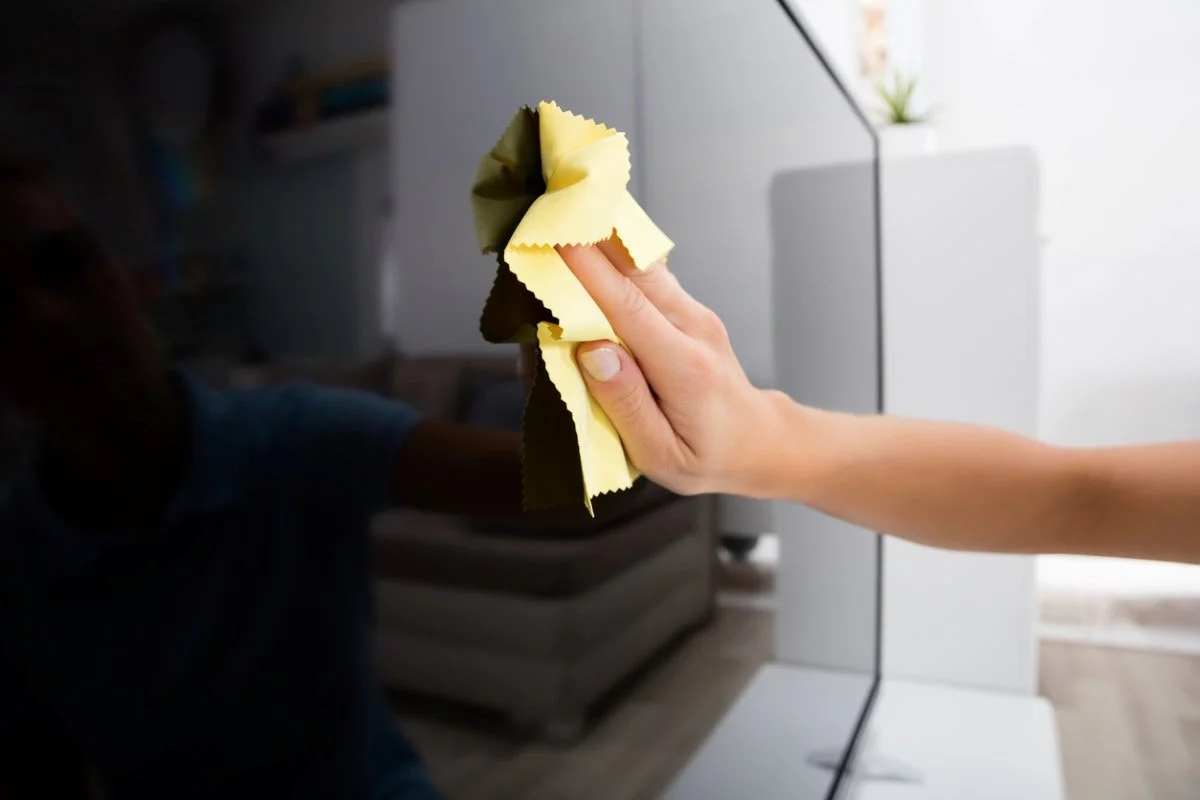
The key to keeping your LED screen in optimal condition is to properly maintain and care for the device. So that you won’t have to learn how to fix LED screens, here are simple tips to keep your LED display in its prime:
- Keep your LED screen regularly clean by wiping clean fiber cloth on the surface. Make sure to steer away from alcohol and other abrasive cleaning chemicals.
- Frequently check all cables and wires for signs of wear and tear or corrosion.
- Keep your LED screen’s firmware and software updated.
- Conduct scheduled periodic inspections for the device’s hardware.
- Use the screen in recommended temperature settings and avoid exposing the device to direct sunlight and extreme weather conditions.
- Consider using dust covers when the LED display is kept in storage.
- Make sure to use stable power sources and invest in backups to avoid power interruptions that can affect the display’s reliability.
- Turn the LED screen on periodically and avoid storing the device for too long.
Conclusion
Learning how to fix LED screens can be an advantage as long as you use these advanced devices. Prevention is always better than cure, which is also applicable to LED displays. However, if you have no choice but to make repairs, try to do it on your own. While it takes time and effort to learn about it, it serves as an investment, especially if you plan to continue using LED displays.
However, if you feel like it’s a job you can do, hire an expert to do it for you. While it may cost more but you’ll be guaranteed with top-notch quality service.

